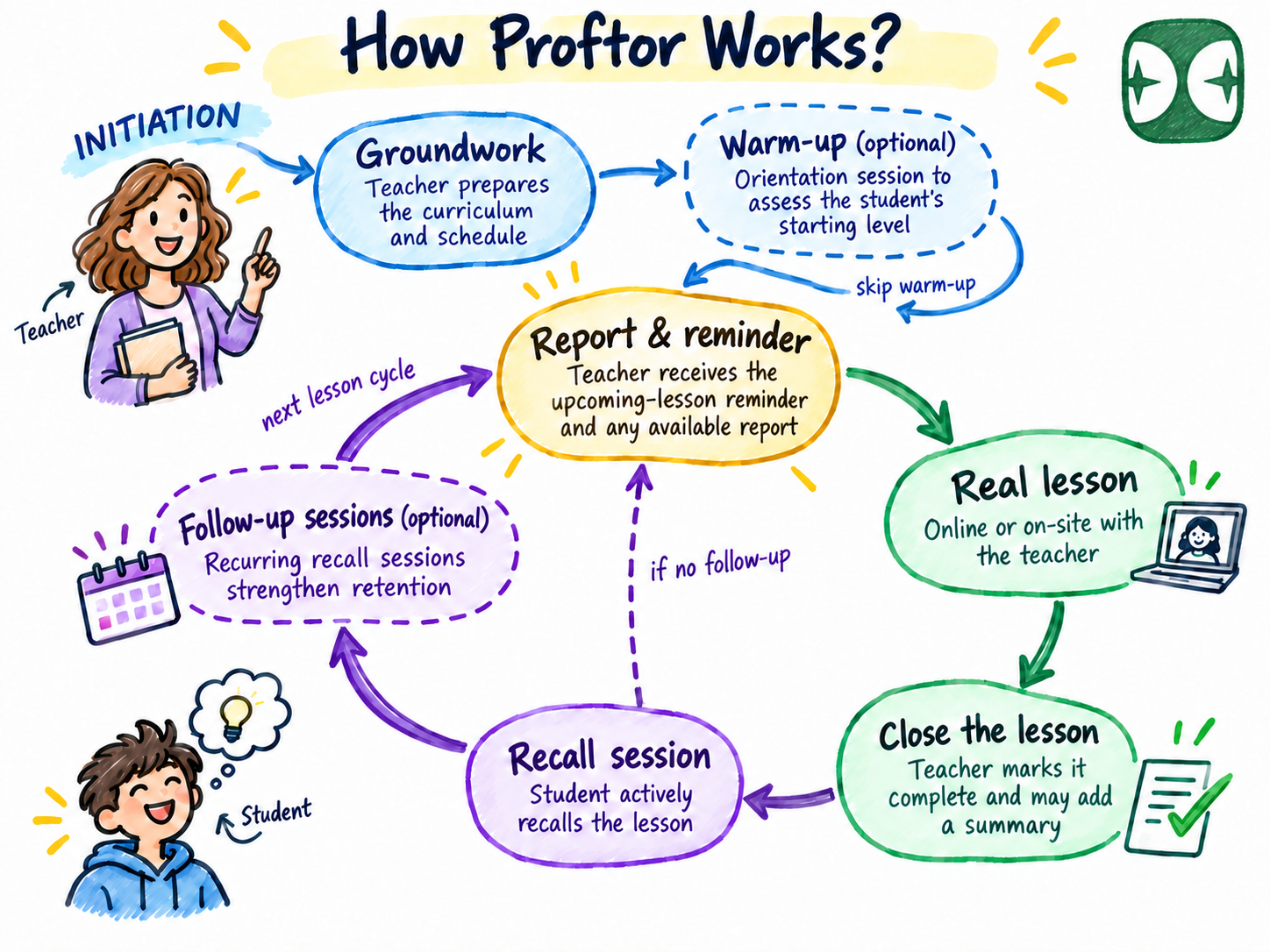
Teachers create curriculum, build Study Spaces, invite students, and see what was remembered — all from the Proftor Studio.
The Proftor Studio is the teacher-facing area of Proftor. This is where teachers create and manage their curriculum, build Study Spaces, assign lessons to students, and review learning reports. The Proftor Studio is designed around educational work — not administration, credit management, or billing.
Teachers create curriculum and own it by default. Curriculum can be shared inside a Teaching Institute when teachers work together, but it remains the teacher's intellectual work. This matters: teachers should feel that their expertise and materials belong to them.
A Study Space is the frame where a teacher's curriculum, a set of students, and guided recall practice come together. Teachers create Study Spaces in the Proftor Studio, assign lessons, and invite students. Each Study Space has its own learning context — from a single student to an entire class group.
Teachers can use Proftor independently or as part of a Teaching Institute. A private teacher sets up their own Teaching Institute and acts as both manager and teacher. A school teacher works inside the school's Teaching Institute, where the school's manager handles administration and funding through the Proftor Console.
After each recall session, Proftor shows what students remembered, what they missed, and where they struggled — without teachers having to read individual responses. These signals inform the next lesson and show where follow-up is needed.
We use cookies to keep the platform running and, with your consent, to understand how visitors use our site. Strictly necessary cookies are always active. Cookie Policy
Cookie preferences
Choose which cookies you allow. Strictly necessary cookies cannot be disabled — they are required for the site to function.